Clip Management for Twitch & TikTok Creators: How to Stay Organized and Share Smarter
If you're a content creator on Twitch or TikTok, you already know the struggle. After every stream or filming session, you're left with gigabytes of raw footage, dozens of clips, highlight reels, and short-form cuts all sitting in different folders across different devices, with no clear system to find them when you actually need them. Clip management is one of the most underrated skills a modern creator can develop, and getting it right can save you hours every single week while making your content pipeline dramatically more efficient.
The creator economy has never been more competitive. With short-form content dominating on TikTok and Twitch growing its clip-sharing culture through features like Clips and VOD highlights, creators are producing more raw footage than ever before. The problem is that most of this content gets buried in local hard drives, random cloud folders, or forgotten entirely. A great moment from a stream six months ago could be the perfect content piece today but only if you can actually find it. This is where a structured approach to video cloud storage and clip organization becomes not just helpful but essential for long-term growth.
The Three Types of Content You Need to Manage
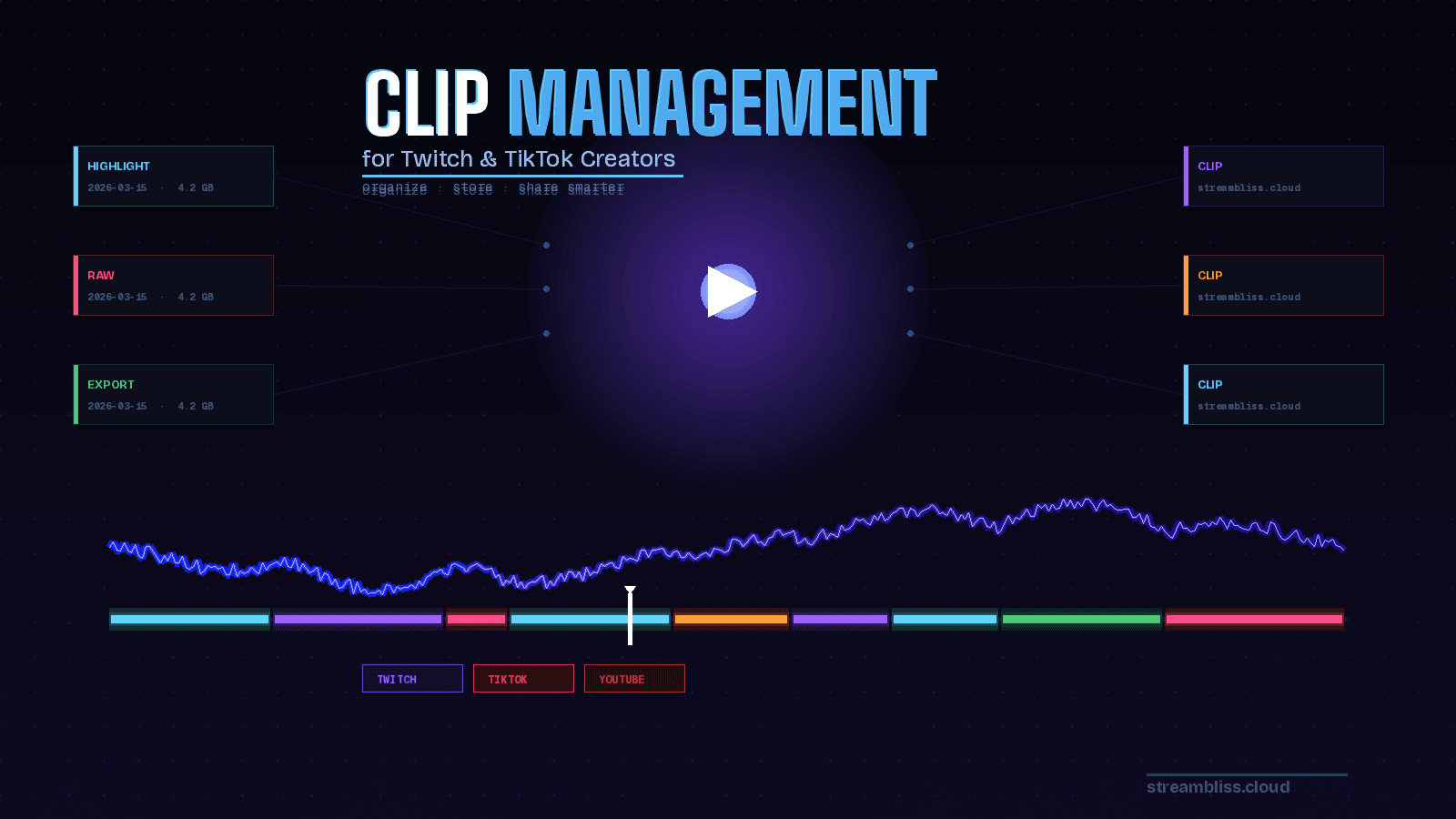
Before building any system, it helps to understand the three distinct categories of content most streamers and short-form creators are working with. First, there is raw footage the unedited, uncut recordings straight from your capture card or screen recorder. These are your most valuable assets because they contain everything, but they are also the heaviest files and the hardest to search through. Second, there are highlight clips the pre-cut moments you or your editor have already identified as worth keeping, whether that's a clutch play, a funny reaction, or a viral-worthy reaction. Third, there are finalized exports the polished, ready-to-upload videos formatted for TikTok, YouTube Shorts, or Instagram Reels. Managing these three layers separately is the foundation of any solid content workflow.
Building a Folder Structure That Actually Works
The single most important step in clip management is creating a consistent, searchable folder structure before you ever hit record. A good structure separates content by platform, date, and content type. For example, organizing your storage into top-level folders by month, then subfolders by stream or session, and within those subfolders separating raw, highlights, and exports, means you can navigate to any piece of content in seconds. Many creators also benefit from adding a short text description or tag in the filename itself something like 2026-03-15_valorant-clutch_highlight immediately tells you the date, game, and content type without opening the file. When you scale this naming convention to hundreds of clips, the time saved is enormous.
Why Local Storage Alone Will Always Let You Down
Many creators start their journey storing everything locally on an external SSD, a NAS drive, or the internal storage of their editing PC. While this works in the short term, local-only storage has serious limitations that will eventually cost you. Hard drives fail. Laptops get stolen. A corrupted drive with two years of content and no backup is a nightmare scenario that has ended more than a few creator careers. Beyond the risk of data loss, local storage also makes collaboration nearly impossible. If you work with an editor, a thumbnail designer, or a social media manager, sharing raw footage through USB drives or peer-to-peer file transfers is slow, unreliable, and completely unscalable.
This is exactly why cloud video storage has become the professional standard for creators who are serious about their workflow. Uploading your raw footage and highlight clips to a secure cloud platform immediately solves the data loss problem, enables remote collaboration, and makes your entire library accessible from any device, anywhere in the world. With a platform like StreamBliss, you get not only the storage infrastructure but also end-to-end encryption to keep your unpublished content private, fast upload speeds to handle large video files without waiting, and the ability to share specific clips with collaborators through private links without exposing your entire library.
How to Triage and Cull Your Clips Efficiently
One of the biggest time-wasters in content creation is spending hours reviewing footage you will never use. The fix is a triage system. Immediately after a stream or recording session while the content is still fresh in your memory spend ten to fifteen minutes flagging the moments worth keeping. You don't need to clip them yet. Simply noting the timestamp, for example "32:45 insane sniper shot, definitely clip this," gives your future self or your editor all the information needed to work efficiently. Some creators use a simple spreadsheet or note-taking app for this. Others use their cloud storage platform's built-in tagging and description features to annotate clips directly. Either way, the goal is to capture context while it is still fresh, so that the actual editing work can happen without constant re-watching.
Sharing Clips Securely Without Losing Control
Once your clips are organized and stored in the cloud, the next challenge is sharing them whether that's with an editor, a collaborator, a brand partner reviewing content before approval, or your own community. Public sharing platforms like YouTube or direct Discord uploads work for casual sharing, but they give you very little control. Once something is posted publicly, it can be downloaded, re-uploaded, and stripped of context. For creators working with brand deals or pre-release content, this is a real concern.
Secure private sharing through a dedicated cloud video hosting platform solves this. With StreamBliss's private sharing features, you can generate a link to a specific clip or a folder of highlights that only people with the link can access. You stay in control of who sees what, and nothing goes live without your explicit decision. For professional creators managing brand partnerships or agencies reviewing content, this level of access control is not optional it is a basic expectation.
The Raw Footage Backup Strategy Every Creator Needs
Raw footage is your most important and most storage-hungry asset. A professional backup strategy follows the 3-2-1 rule: three copies of your data, on two different types of storage, with one copy offsite. In practice for creators, this means keeping one copy on your local editing drive, one copy on an external hard drive, and one copy in secure cloud storage. The cloud copy is the one that saves you when both local drives fail at the same time which sounds unlikely until it happens to you. With StreamBliss's unlimited storage on the Creator plan, uploading full raw session recordings becomes a seamless part of your post-stream routine rather than an occasional chore. You simply drag, drop, and your backup is complete.
Repurposing Old Content: Your Hidden Content Library
Here is the real long-term payoff of good clip management: repurposing. Creators who have a well-organized library of tagged, searchable clips sitting in cloud storage can spin up new content on demand. A compilation video. A throwback clip for a stream anniversary. A reaction to an old highlight. A "best of" montage for new followers. None of this is possible if your footage is buried in unlabeled hard drive folders. But when your clips are organized, tagged, and accessible through a cloud storage platform with search functionality, your entire back catalog becomes an active content resource rather than a digital graveyard. This is one of the most underutilized growth strategies in the creator space, and it costs nothing beyond the time investment of maintaining good organizational habits.
Setting Up Your Ideal Creator Cloud Workflow
The ideal workflow for a Twitch or TikTok creator managing their content in 2026 looks something like this: record your stream or session, run a quick triage review and note the timestamps worth saving, upload the full raw recording to your cloud storage for backup, then clip and export the highlights into their own subfolder. From there, your editor or your future self can access those organized clips directly through a private link, pull the right files, create the short-form content, and upload the final export to your social platforms. Everything is documented, backed up, and accessible without a single USB drive changing hands.
StreamBliss is built for exactly this kind of workflow. Whether you're a solo Twitch streamer saving your best moments, a TikTok creator managing multiple series, or a growing team producing content across several platforms, the combination of fast uploads, end-to-end encryption, unlimited storage, private sharing, and cross-platform accessibility makes it the ideal cloud sharing platform for video-first creators who take their content seriously.
Start Organizing Your Content Today
If you've been putting off building a proper clip management system because it felt overwhelming, the truth is that starting is much simpler than maintaining. Pick a folder structure, commit to a naming convention, and start uploading to secure cloud storage today. Even if your archive is currently a mess, you can start fresh from this point forward. Every stream, every session, every clip properly named, properly stored, properly backed up. Six months from now, you will have a searchable, organized, secure library that becomes one of your most valuable creative assets.
Ready to take control of your content? Sign up for StreamBliss and experience what secure, creator-first cloud video storage actually feels like.